
Posts Tagged web design
The 10 Web Design Trends You Need to Know for 2016 – Seattle Web Design
Posted by Rory Martin in Web Design and Development on December 16, 2015
Building a website, or hiring a Seattle web design team to do it for you, requires a lot of work, but more importantly, it requires a lot of important design decisions. Choosing what you want partially involves making decisions based on your brand and partially involves choosing what your customers expect and want to see. These top 10 web design trends include some of the best and most recent website technology that you can use to make your website look modern, appealing and easy to use.

1. Minimalism
Minimalistic websites are extremely popular for a number of reasons. While many people suggest that multi-page websites do best in search, they can be complicated and difficult to navigate for your readers. Taking a minimalistic approach, cutting out everything that you don’t need, and including more blank space than menus and headers, will ensure that the reader gets a great experience. If you need more pages for search, you can always install a blog.
2. Responsive Design
Mobile is here to stay, and in fact, it’s surpassed desktops in search volume. Unfortunately, mobile doesn’t come in just one screen size, so responsive design is here to stay. You want to optimize your site for slow internet on mobile devices, multiple screen sizes, and short attention spans.
3. UX/UI
Planning your user experience and user interface is something we should have been doing all along. It’s important that your Seattle web design team takes UX into consideration when designing your site.
4. Hidden Menus & Hamburger Menus
Hidden menus and hamburger menus get a lot of criticism, but they’re here to stay. They also help to prevent a cluttered mobile page because the menu is tucked neatly out of site. THey’re also common enough that almost everyone know what they are.
5. Large Images
Big Hero images and image backgrounds are extremely popular, but they have to be high resolution to extremely high resolution, and mainly monochromatic. Using an image as your background, or for most of the page, captures attention and keeps it, and is better than using a small banner.
6. Ad blocking
Ad blocking may not be a web design trend, but with 144 million ad blocker users, it’s here to stay. That means web designers have to create sites around users who could be blocking ads, which can be difficult for sites that make money off of advertisements.
7. UI Patterns
UI patterns are increasingly popular, because they allow you to create an entire user interface using an existing pattern, which makes it easier for consumers to use, and easier for the designer. Most importantly, each one can be tweaked and adjusted to create something completely unique, which is better for your business recognition.
8. Rich Animation
Rich animation, such as animations and illustrations, moving buttons, and animated anything on the website are back in style, and they haven’t been as popular as they are now since the days of Flash in 2012. They take a little bit more work, and they aren’t always a good idea (I.e. if a large portion of your traffic is mobile), but they can be exciting, fun, and unique.
9. Web Design Layouts
Long Scroll – Long scroll websites allow you to tell your entire story on a single page, and you can replicate the appearance of a multi-page website by dividing content into sections. This is also great for mobile users. If you’re worried about people not scrolling, don’t. It’s been proven that the trend of not scrolling below the fold is over thanks to mobile users having to scroll anyway.
Card – Card designs break the website up into smaller portions, which are easier for readers to digest, and can be rearranged to your preference on smaller screens.
Dynamic Grid – Think Pinterest. These sites are perfect for shops and anyone that relies on images or video, and work extremely well on mobile devices.
10. Video
From video headers to profile images to video backgrounds, video is becoming a huge trend in web design, and is set to keep growing for 2016. Like animation, you should be cautious with using it if most of your users are on mobile, but it can be powerful, creative, and interesting.
Web design trends are essentially what’s hip in the world of web design. If you want to know more, or get a quote on your website, contact Rory Martin, a Seattle web design company.

Should You Use a Web Designer or Go with a Template or Builder? Seattle Web Design Questions
Posted by Rory Martin in Web Design and Development on November 17, 2015
Setting up a website for the first time can be tricky, especially if you’re trying to do it on your own. One of the biggest questions we get about Seattle web design is whether it’s okay to use a template or website builder or if you need a web designer. This question is difficult to answer, because the truth is it depends on the business in question. The following information should help you decide.
Website Builders and Templates or Themes
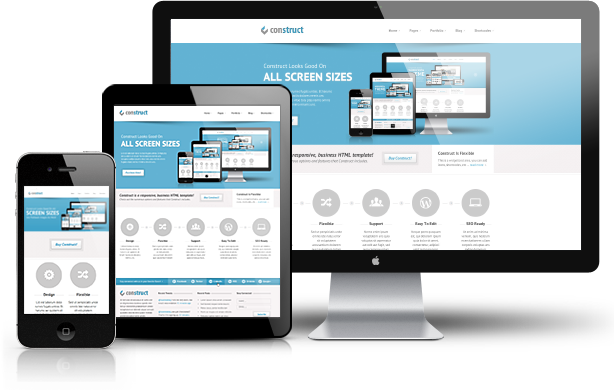
Website builders, themes, and templates are usually free or low cost (a quality theme will cost as around $40-$65 or $500+ if you want to buy all of the rights), or cost a monthly fee, which may or may not include hosting. While this might seem like a cheap and easy way to get started, it often isn’t, because there’s a lot more involved. When you hire a Seattle web designer to create your site for you, they will handle everything, including setting up hosting. If you’re using a paid website builder, it is as easy as it sounds, but you’ll still have to drag and drop, and work with the layout to try to create something professional. Some of the tasks that a design and development company will handle included:
- Purchasing your domain name (Costs money)
- Setting up hosting (monthly fee)
- Installing a CMS
- Installing the theme, skin, template, etc.
If you’re doing it yourself, you’ll end up doing all of that yourself, some of which can be quite complex and time consuming. If you’re tech savvy, you can probably handle it okay, but many people end up paying for professional help just for setup, which can be almost as expensive as paying a designer to do it for you in the first place.
Website Design
Whether you’re using an existing CMS like Joomla or want your own CMS, a website designer can and will create a custom design for you based around your business needs. Costs usually run in the mid to high triple digits and can run into four digits but do include items like hosting, domain names, maintenance, installation, and setup. Many web designers set fees based on how many hours they take to complete the project, and setting up a website with an existing theme can run from 5-20 hours, and designing a new theme can run from 50 to over 150 hours depending on the complexity and style of the site.
You get:
- Everything done for you
- A unique website that performs well in search and exactly meets your needs
- A branded website
- Scalability, responsiveness, and local optimization
Which Option Should You Chose?
Choosing between web design and templates usually comes down to one thing. Money. If your business can afford to pay for a website designer to create a custom site for you, then do it. It’s well worth the money in terms of having a unique site that no one else has, having the branding, and saving time on installing and updating the website yourself. In some cases, you can pay a designer to set up a theme with custom graphics to save money if you don’t know how to set up a website yourself. If you don’t have any money or budget for digital marketing, then you can use a pre-built theme or skin while you save up, and plan to make something worthwhile.
Want to know more about how a custom website can help your business online? Contact Rory Martin for more information
Website Navigation Tips for Businesses – Seattle Web Development
Posted by Rory Martin in Web Design and Development on October 27, 2015
Your website navigation is one of the most important aspects of your site, because it controls how people get from one place to another, and can make or break sales, creating leads, and even reading more on your site. While it can be tempting to simply cram everything into your menus so that people can find it, they often find nothing at all. If you’re working with a Seattle web developer, or planning to hire one, these following tips will help you with making the right decisions regarding your menus and other website navigation.

Use a Recognizable Style
It may be tempting to use a unique menu or navigation system because it makes you stand out, but the important thing to remember is that people will have to learn it. When helping people through your site, especially to making a purchase, the last thing you want them to have to do is take a moment to learn. Studies and real world reactions show that people hate things they aren’t familiar with. Use existing menu systems and layouts that people already know, understand, and can use without a second thought.
Ditch Drop Down and Sub Menus
Drop down menus and sub menus may seem like a good idea because they allow you to clean up your home page, but they aren’t usually a good idea. You want to make it as easy as possible for people to see where they have to go, which means using a menu that they can see. Hamburger menus are popular, but not always a good idea because they make finding the menu difficult, especially on small screens.
Optimize Your Navigation Order
If your navigation order is completely randomized, then you are doing it wrong. You want to figure out which pages people are most likely to visit, and in what order, and organize based on priority. You don’t really want an irrelevant page on the top of the menu, because it completely throws the menu off and makes it that much harder to use. If you’re upgrading an existing website, you can usually go about upgrading your menu by prioritizing the pages that get the most traffic, or using the path that most people take through your website. If you’re building a new website, you can ask your Seattle web developers to create a natural path through the website for users to follow, and organize navigation accordingly.
Use Links Not Buttons
Links are better for menus than buttons because they’re smaller, simpler, less likely to malfunction, and are better for search optimization.
Keep it Simple
Simplicity is the key to a good menu. Don’t make it hard to find the right things, don’t add too many items, and certainly don’t have more than 10 items. Sub-menus may seem like a good idea but they are most often messy, difficult to use, and can fail completely on mobile devices.
Good navigation makes for a good user experience, which boosts your SEO, your website’s usability, and your conversion. Discuss it with your local Seattle web development team during site development, and make sure that it’s easy to use before you launch.
Elements of Modern Web Design for Seattle Businesses
Posted by Rory Martin in Web Design and Development on October 20, 2015
Modern web design has come a long way from the early days of the Internet. Where once flashy banners, automated code, and literal digital neon signs were the hallmark of an expensive website, today’s sites are considerably more sophisticated, relying on wide open spaces, large text, unique fonts, and simple graphics to catch the eye. Minimalism is definitely in, and users will thank the designers who follow trends for focusing on experience rather than appearance. If you’re hiring a Seattle web designer, you should consider many of the elements of modern web design, and try to implement the best of it into your own design (but don’t copy).
Unique Fonts
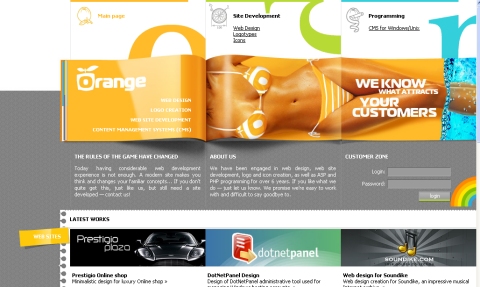
Font or typography is one of the easiest ways to ensure that readers remember you, simply because you stand out more. While the choice is up to you when choosing between a serif and sans serif font, you should choose something that is large, easy to read, and that you can read when standing about 10 feet back from your computer for headlines and banner text. Fonts also tell readers who you are, because a font can be fun, serious, stylish, formal, and so on.
Large Media
Images and photos are both incredibly useful for web design because they improve visual appeal, and video can be used to increase time on page, decrease your exit rate, and improve your bounce rate, which all help with your marketing. If your images are of products, you also want them to be responsive, so that you can click, zoom, and take a closer look at what you’re doing.
Responsive
If the modern web could have a calling card, it would be either responsive or mobile optimized. You need mobile optimization, or a website that resizes itself for mobile users. Creating different versions of your site for different types of web browsers (iPhone, Android, tablet) is essential for continued success on the web, especially as more and more users move away from the desktop and laptop, towards primarily only accessing the web via mobile devices.
Better Menus
The days of long overly complicated menus with sub menus are over. If you have to click more than three times, or hover your mouse at just the right angle to get a sub menu, and a sub menu from that, you’re doing it wrong. Hidden or hamburger menus are also popular, because they stay out of sight, which improves the visual appeal of the website.
Flat Design
Flat web design has become a definite trend since Apple adopted it for their website, and for good reason. With little to distract the reader, and only small allusions to depth, it’s simple, minimalistic, and directs the reader where you want them to go, instead of wasting valuable time trying to impress the reader with your web design team’s skills. Flat and semi-flat design are both great options.
No matter what you’re considering for your website, you should have a discussion, or a free consultation, with your local Seattle web design team before you start planning. Choosing items based on your budget, your business needs, and the design team capabilities is important if you ever want to see your plans brought to life.
Want to know more? Contact Rory Martin for more information.
Responsive Web Design vs. a Mobile App – Seattle Web Developers Discuss
Posted by Rory Martin in Web Design and Development on September 15, 2015
Mobile is becoming more and more important as users switch from clunky laptops and desktop PC’s to their lightweight, mobile tablets and phones. While many homes still incorporate a PC, more than 27% of the population no longer owns a computer, and instead relies almost solely on their mobile device to access the web and all that comes with it. With some 54% of millennials admitting to using mobile to compare rates and shop when in physical stores, mobile access can make or break a sale.
But, you get it, you need mobile. We don’t have to convince you of that. What you do have to consider is whether you need a mobile app or a responsive web design. This decision is a bit more complicated, because it requires understanding your complex market and user database.
What’s the Difference between an App and Responsive Web Design?

One of the most frequent questions we get about web design is ‘what’s the difference?’. In simple terms, a responsive web design allows your website to automatically resize based on the browser and screen size of the visitor. It can be accessed via any browser, so long as the user has Internet. A mobile app must be downloaded from the app store.
Pros and Cons of a Mobile App
A mobile app is a great way to engage with consumers and tell them that they are important enough to you that you made them an app. If used properly, you can offer a webshop, sales, discounts, consumer rewards programs like points, notifications, and much more through an app. Apps are fast, capable of more functionality than websites, and can incorporate smartphone features (like GPS to offer real time directions to your store). They’re also popular, in 2014, consumers spent 27% of their time with mobile brands using apps. If you’re trying to boost your search ranking, another consideration is that app pages do not show up in search. While versatile, easy to use, and relatively inexpensive to deploy, they have one major flaw. The consumer has to be committed enough to your business that they are willing to download an app to clog up their probably already full mobile phone with your app. Unless you are one of their favorite stores or restaurants, you probably won’t be able to earn this kind of commitment.
Pros of Responsive Web Design
Responsive design is easy to integrate into almost any website, boosts your search engine optimization, and allows any casual visitor to quickly come along and check out your website. This makes responsive web design convenient, relatively easy to deploy, and easy for anyone to use. While it’s not going to push as many sales as an app, it does allow new customers to research your products, check your website from their mobile device, and get in and out quickly without being annoyed by a desktop layout website. Responsive design is not a cure-all, and it will require maintenance, but it’s a much more versatile solution than a mobile app.
Which Is Right For You?
For most small businesses with no strong consumer base, the answer is definitely responsive web design. However, for almost everyone else, the answer is both. Responsive web design allows casual visitors to easily check out your website and your products, price or quality compare, and then go back to whatever they were doing. An app requires a lot more commitment, which most new customers just aren’t willing to make. Of course, your long-term customers who shop with you regularly are almost sure to appreciate an app, especially if you use it to offer updates, sales, notifications of deals, and even special user discounts. Responsive web design is pretty much a must-have for everyone, so even if you have an app, you should consider responsive design. If you can’t afford both, focus on the web design first, and budget for the app later.
Want more local Seattle web design tips? Follow our blog. Or, contact Rory Martin for a quote on responsive design for your business.
Planning Your Small Business Website For Your Budget – Seattle Web Development Tips
Posted by Rory Martin in Web Design and Development on August 25, 2015
In an ideal world, everyone could get the exact website they wanted, and even a small business website could have custom coding, a unique content management system, built in functions and features including a webshop, contact, or menus, but the truth is, not everyone can afford it. Most Seattle small businesses have a tight budget, which means choosing your features and functions wisely, cutting corners where necessary, and planning for the best results. This does require planning, and a careful discussion with the Seattle web developer you choose, but it does mean that you can get a fully functional website within, or close to, your budget.
- Cool quote posted by my friend Erin Shafkind
 Decide What You Need
Sitting down to discuss your website needs, wants, and options, and then narrowing them down can help you with keeping costs to a minimum. An easy example is deciding if you need menus, a webshop, or etc., and then discussing the pros and cons of each. If you have a webshop, you won’t necessarily make sales off of it, so it might be a better fit to add to your website later. Planning your features and deciding which you need now and which you can add on later can save you money, but it’s also important to ensure that you’re only getting the features you absolutely need.
Consider Existing Designs
If you want to save money, then considering a pre-built website theme with custom design and custom layout could be the way to go. In fact, this is the best option for many small businesses, because it can cut hundreds of hours of developer work off of your bill. While a custom design will still give your website the best chance of standing out, it’s not 100% necessary, especially if you’re aiming at a small local audience of people who live in the Seattle, or your suburb, area. For example, if you choose to go with a Joomla website, you can save a lot of time developing a custom backend to your site, and still get a completely unique design.
Plan For the Longest Launch Time Possible
One consideration is that if you need rushed work, you will usually be charged for it. Ask your developer what a reasonable time to launch is, and then go with that rather than trying to get your website up by a specific time. This also ensures that developers have the time they need to do everything correctly, so that your website is as functional as possible.
Combine Extra Services
Some Seattle web development companies have services for promoting your website, integrating your digital marketing or social media, and so on. These might seem like added expenses, but chances are, if you’re launching on the web,, you need them. Consider comparing costs with hiring someone separately to see how much you will save, and then plan those costs into your budget. After all, your website won’t make a return on profit if you aren’t marketing it properly.
Hiring a Seattle web development team to build your website can be challenging, but don’t go into it without asking questions. Ask for quotes, get information, and make sure you know everything before you make the hire to ensure that you know what you’re getting into. You can start by requesting more information from us here.
What is Flat Design? Seattle Web Design
Posted by Rory Martin in Web Design and Development on July 28, 2015
What is Flat Design? Seattle Web Design
Flat web design is something of this season’s hip new trend, but by all appearances, it’s here to stay, and for good reason. Flat web design is rooted in some of the best web design elements, combining simplicity with clean lines, simple fonts, and minimalist design to create web design that really stands out, even when multiple websites use similar design. Flat design combines elements of visual style with simplicity to create the illusion of 3D while retaining simplicity. If you want to get in on the trend, your design needs the following features.
Simple Typography
Your typography says a lot about who you are, but a simple, plain, and easy to read font says more than the most interesting font in the world. Helvetica and Sans Serif are very popular fonts for this, but they are by no means the only option.
Shadows and Illusions of Depth
Flat design usually has an illusion of depth or 3-dimensional structure, so you need shadows, illusions, and lines that create depth wherever possible. This is fairly simple in theory, but you do need a designer who knows what they are doing in order to pull the look off.
Transparent, Interactive Design
Transparent but interactive design is one of the biggest and coolest themes you will find in transparent design. This often translates into translucent or opaque menus and buttons that allow you to see the button and press it, but also see through it, so that it looks more like part of the site rather than an ugly button. When used with buttons, it’s known as a ghost button, but it also works with menus and other text holders that would otherwise be quite intrusive.
Minimalism
A minimal design, complete with large graphics and plenty of blank space would have been rare ten years ago, but today, simplicity is in. Flat design incorporates minimalistic styles, imagery, and design, uses large graphics and lots of space, to create a site that is easy to take in, simple, and not overly complicated. Because simplicity vastly affects user experience, this can also boost your customer’s satisfaction with the site, as well as the design quality.
Flat design is rapidly evolving to fit new parameters, and often moving outside of the box or format that the first flat websites used. This allows you to create something truly unique, that stands out from other sites, while integrating a beautiful and popular design style.
Almost-Flat design, or Flat 2.0 is a little bit more complex, offers more flare, and is a good alternative if you’re not completely into minimalism, but still want simple with a touch of 3D. Flat 2.0 integrates many of the features of flat design, but allows you to fit in more content and more design. Because flat is not all or nothing, you can also choose to integrate elements that you find appealing, while sticking with more traditional web design options for other parts of your site.
Contact Rory Martin, a Seattle web developer, for a consultation or quote for developing your website.
How to Protect Your Website From Hackers – Seattle Web Development Tips
Posted by Rory Martin in Web Design and Development on June 16, 2015
If you have a business website then, you no doubt, worry about hackers, viruses, and other issues that could not only affect your website, but also your business reputation. This is especially important if you offer online purchases through a shopping cart. Even if you’re just starting to set up and build your site, the following tips from Seattle web developers can help to ensure that you take the right steps to protect your site. While these tips do not include coding issues, you can talk to your web development team to ensure that they are integrating security into your design.

Use Secure Logins
While you may be tempted to use your default logins, or ‘administrator’ plus “password123”, you should usually be a bit more creative. Some hackers are nothing more than good guessers, and some use software to input commonly used password and username combinations, until they get lucky. Make sure they don’t by ensuring that your password is a string of complex numbers and letters, with special characters, and that your username is something other than your name, ‘administrator’, or similar. A good idea is to use the name of your first pet plus your school locker number or your first phone number if it’s a personal website, or a randomly generated secure hash if it’s a website that multiple people are using.
Consider Security Plugins
If you’ve gone with popular CMS like Drupal, Joomla, or Wordpress, you can choose multiple security plugins to ensure that your website is as safe as possible. Options range from apps that only give you a few tries to log in until they lock you out, to those that email or text you if you’re logging in from a new location.
Don’t Integrate Third Party Flash Apps
Unless you’re using apps from a very trusted source like Google Maps, try not to integrate third party applications into your website. JavaScript and flash injection both allow hackers to insert malware into visitors computers directly from your website.
Purchase a Security Script
Buying security is a must if you want your consumers trust. Most web hosts offer security certificates, but you can also purchase them from popular antivirus companies like Symantec’s Norton. Posting these on your website tells your visitors that you are doing everything you can to keep them safe. If you don’t know how to set this up, don’t be afraid to ask your developer.
HTTPS
If you’re running a store, asking for personal information, or even asking for email addresses, you should consider setting up HTTPS. This means that your site is secure, as is the connection, so that hackers cannot access the information under normal circumstances. Once again, just ask your developer.
Knowing how to protect your website is important, especially with more and more vulnerabilities found in websites. If you want to know how to protect your specific website, ask your developer, or hire them to build in more security.
Five Tips for Choosing a Local Seattle Web Developer
Posted by Rory Martin in Web Design and Development on May 26, 2015
Finding a quality web developer is notoriously difficult on the web, especially with thousands of overseas companies who operate under dubious credentials and often offer themes or pre-built websites under the pretense of a custom site. Going local is the easiest way to ensure the originality of your site, but it also allows you to find a company that understands your local customer demographic, local website trends, and that you can meet in person to determine their actual suitability for the job. Whether you’re looking to hire a one-off Seattle web development team to build your website, or need a long-term web specialist for maintenance, updates, and constant development, you can use these tips for choosing a good local Seattle web developer or team.

Understand the Market
The first rule of hiring a web developer anywhere, not just in Seattle, is that you have to understand the market, fair pricing, and what you can expect for the money. If you’re accustomed to choosing outsource and offshore companies with engineers and developers primarily in India and Pakistan, then you’re going to be able to afford considerably less if you go local. However, you also have to know normal pricing for a website of your size and standard, so that you can get a fair quote, without feeling that it is over the top or too cheap. Your best bet is to set a budget in advance and then figure out what you can get for that budget before you go ‘shopping’ for a developer.
Decide on Skills and Requirements Up Front
You wouldn’t hire a Japanese sushi chef if you wanted a French Crémeux, and the same goes for web development. While some developers are experts in everything, that’s rare and usually quite far fetched. Instead, look for a developer who has the skillset you need (I.E. JavaScript, PhP, and HTML) and make sure they can work with it before you hire them. There is no one size fits all developer, unless you’re happy with whatever they can build you.
Look for a Past History
While it may sound unfair to only hire experienced developers, you wouldn’t hire an inexperienced person for most other jobs, so don’t risk it with your website. Choosing someone with verifiable experience, standards, and hopefully references you can use to verify claims and ensure that the developer hits deadlines and offers quality websites is an easy way to cut out a lot of hassle.
Check their Portfolio
Finally, you want to know that you like their work and that they are capable of building you a website that you love. Checking your prospective web developer’s portfolio is the easiest way to make sure that they will offer you the website you want.
Want to know more about how a local Seattle website designer can help you? Contact Rory Martin to see if we’re a good fit for your needs.
What Seattle Companies are Doing Wrong with Web Design
Posted by Rory Martin in Web Design and Development on May 19, 2015
With over 644 million active websites on the Internet, it can be difficult to make yourself stand out. Luckily, there are far fewer local Seattle websites to compete with, but you’re still going to have to make yourself stand out. While the average small business now recognizes that they need and should have a website, not everyone goes about it in the best way. A website is your brand on the web, and it has to be just as convincing as any physical storefront. Because many consumers are now visiting mobile websites before they go to a store for the first time, your site is becoming more and more important. With that in mind, here are few things that Seattle businesses frequently get wrong, and help from local web designers on how to fix those problems.

Forgetting to Research Your Demographic
If you’re in a hurry to get your website up, a new business, or don’t think you need a target demographic, you could be making a huge mistake. While some people don’t think they need to target anyone and others try to target everyone, both options are a mistake. Researching your target demographic allows you to market your website directly to the people most likely to need your services or products, allowing you to create more churn and make more sales.
No Marketing
No one likes to be marketed to but if you have a whole website with no calls to action, no links driving people to buy things, and nothing at all to tell the consumer that they should be spending money, then you’re probably missing out. Integrating strategic calls to action, links to products, and creating landing pages for users who search for your content on the web can be crucial to your success.
Overly Complicated Design

The 90s and early 2000s saw a rash of poorly designed websites with flashing banners, jQuery animation, and really cluttered design. If your website looks like an advertisement board, has more images than free space, or crams something into every possible space, you’re probably telling customers that you aren’t professional or modern. Go with simple, elegant, and easy to use.
Not Updating Your Content
Regularly updating your content, even if it’s as simple as changing all of the listed dates on your website once yearly, is crucial to being on the web. Customers like to see activity so that they can see you’re a relevant, real business. Consider linking your social media so that consumers can see your likes and social activity, keep a weekly blog and update it weekly, and post regular updates.
Using the Wrong Designer
The wrong designer can completely ruin your website. Whether you’re paying more than you have to and going way over budget, or paying less than you should and getting a substandard website, you’re making a mistake. You’re probably also messing up if you decide to do your website yourself, unless of course, you’re a qualified website designer. Go over your budget, decide how much you can make back from your website in a year, and choose a quality designer with a good reputation based on that criteria.
If you want to know more about quality Seattle web design, contact Rory Martin for a free quote.
Recent Comments